That Table-Tent QR Code: What You Hand Your Browser Before the Appetizers Land
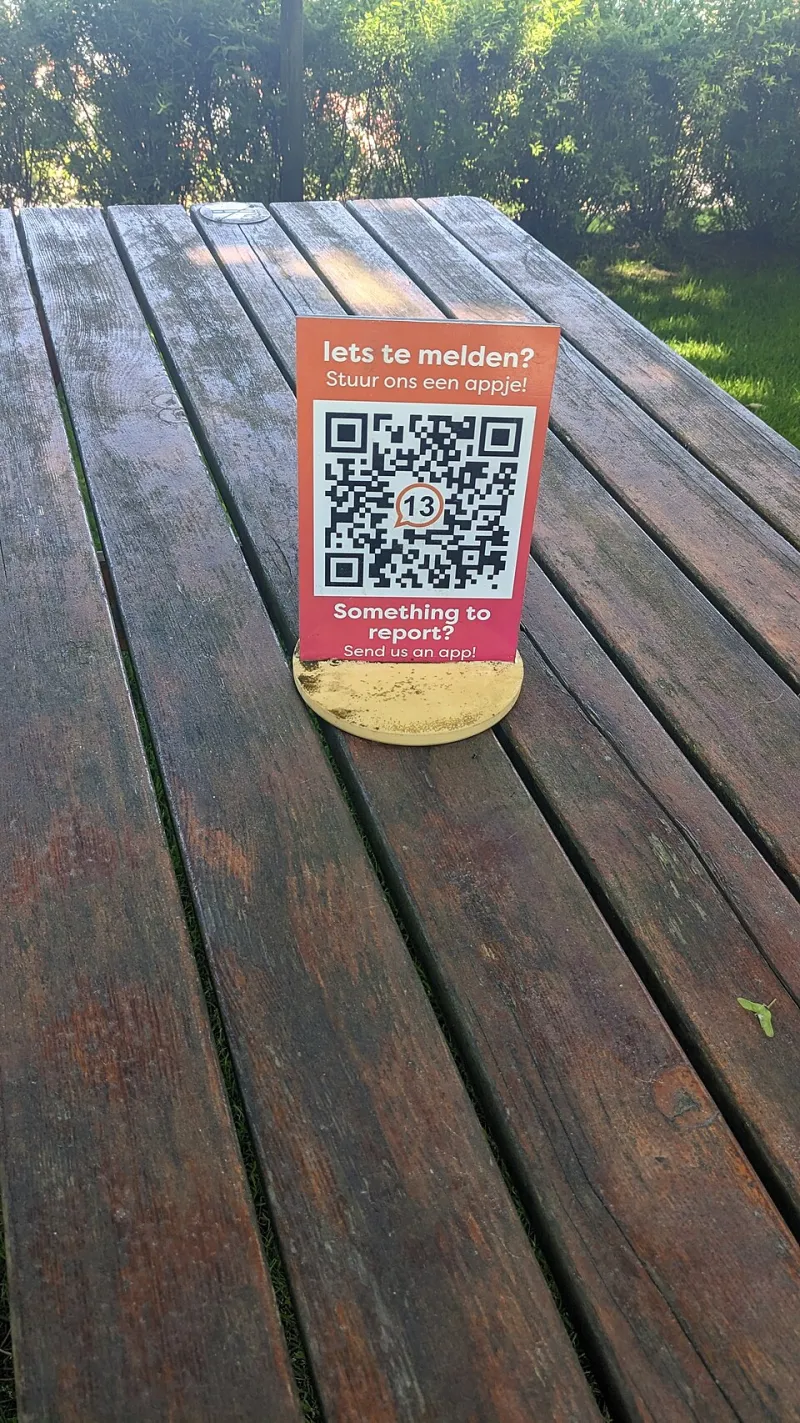
Photo: Donald Trung Quoc Don (Chữ Hán: 徵國單) - Wikimedia Commons - © CC BY-SA 4.0 International.(Want to use this image?)Original publication 📤: --Donald Trung 『徵國單』 (No Fake News 💬) (WikiProject Numismatics 💴) (Articles 📚) 20:03, 7 June 2023 (UTC), CC BY-
You sit down at a place you have never eaten at before, somewhere between the airport and your aunt's house. The host drops a paper menu, then points at a little tent card in the middle of the table: a black-and-white square and the words Scan for menu and Wi-Fi. You scan it. Your phone does something. What, exactly, did it just do?
Most people assume the answer is a PDF. In 2026 that assumption is doing a lot of unpaid labor.
The square is a link wearing a costume
A QR code is a container. It holds text, and that text is usually a URL, sometimes a Wi-Fi credential string, occasionally a phone number. Nothing mystical happens when your camera reads it: the phone decodes the container and takes the action inside. Which means every question you would normally ask about a link still applies — you are simply asking them while someone stands over you with a water pitcher.
So the useful first move is boring. Point your camera at the code, and before you tap the little banner that appears, look at what it says. Most camera apps show the destination or let you swipe it up. If the address is a shortener, or a domain that has nothing to do with the restaurant's name on the door, that is worth a two-second pause.
Three doors a table tent can open
Not all restaurant QR codes are the same animal. Roughly, they fall into three groups.
Door one: a plain menu page. A hosted menu on the restaurant's own domain, or a well-known ordering platform. Least interesting outcome, and honestly the most common.
Door two: a captive portal in disguise. The code tells your phone to join the guest network. Your phone pops the familiar sign-in sheet — the one that says the network wants you to accept terms. That page is generated by the router, not by the restaurant's website, and it is where a lot of guest networks get to set a cookie or ask for an email before letting you through.
Door three: a marketing layer stapled to a menu. The code opens the menu, and the menu opens a rewards signup, a newsletter overlay, a notification prompt, or an app-install banner. This is where the real data collection happens, and it is completely unrelated to you finding out whether the kitchen has a vegetarian entree.
What the network can see, and what the page can see
These are two separate audiences and people merge them constantly.
The network operator — the restaurant, or the company they hired to run guest Wi-Fi — can see that your device connected, your device's hardware address, roughly when, and which domains your device asked for. If you have turned on encrypted DNS in your browser, those domain lookups are harder to read, but connection metadata and timing remain. They cannot see the contents of an HTTPS page.
The web page is a different story. It sees your IP address and the rough city that implies, your device type, the page that referred you, and whatever its own analytics and ad scripts decide to record. It also sees anything you type into it, which is why the signup form asking for a phone number to view a menu deserves a hard no.
Sizing up an oversized ask
A menu does not need your location, your notifications, or your camera roll. A 60-second scan of the request before you approve it catches almost everything:
- A permission prompt on first load. Notifications and location are the two to decline. The menu will still render; it always does.
- An email gate in front of the food. There is no version of this that benefits you. Ask the server for a paper menu instead, which most places still have behind the counter.
- A domain that does not match the restaurant. A random subdomain or a link shortener on a table tent is a genuine red flag, not just a design choice.
- A rewards club signup bundled into ordering. You can order in the browser without creating an account at plenty of places. It just takes one extra tap.
Where a lightweight proxy earns its keep — and where it is a third wheel
Here is where we are supposed to sell you something, so let us be honest instead.
A browser proxy is genuinely useful when you are on an open guest network and you would rather the network operator not see which sites you visit after dinner, or when you want to reach a page that is region-restricted. That is the classic unblock-and-stay-private case, and it is a real one.
A proxy is close to useless against the menu page itself. It does not stop that page's analytics scripts, does not clear the cookies the ordering platform drops, and does not make a rewards signup less annoying. And a free proxy you have not vetted is simply a second middleman in the path, one whose logging policy you cannot read. Adding an unknown hop to a restaurant menu is not a privacy upgrade; it is a trade.
A table-side routine that takes under a minute
- Read the URL in the camera preview before tapping. Two seconds.
- If the menu is just a menu, consider staying on cellular data and skipping the guest network entirely.
- Decline notifications and location. Accept cookies only if you actually need the site to function.
- Order in the browser, not in an app you just installed at the table.
- If you did join the network, forget it before you leave — on iPhone, Settings, Wi-Fi, tap the network, Forget This Network; on Android, the same idea under your saved networks.
The table tent is not the enemy. It is just a link, and links deserve the same skepticism in a booth as they get in an inbox. Do the two-second check, skip the perks you did not ask for, and get back to arguing about who is paying.